Ubisoft Open-Sources the CHORD Model with ComfyUI for AAA PBR Material Generation
Ubisoft La Forge open-sourced its CHORD PBR material estimation model with ComfyUI custom nodes, enabling end-to-end texture generation workflows for AAA game production.
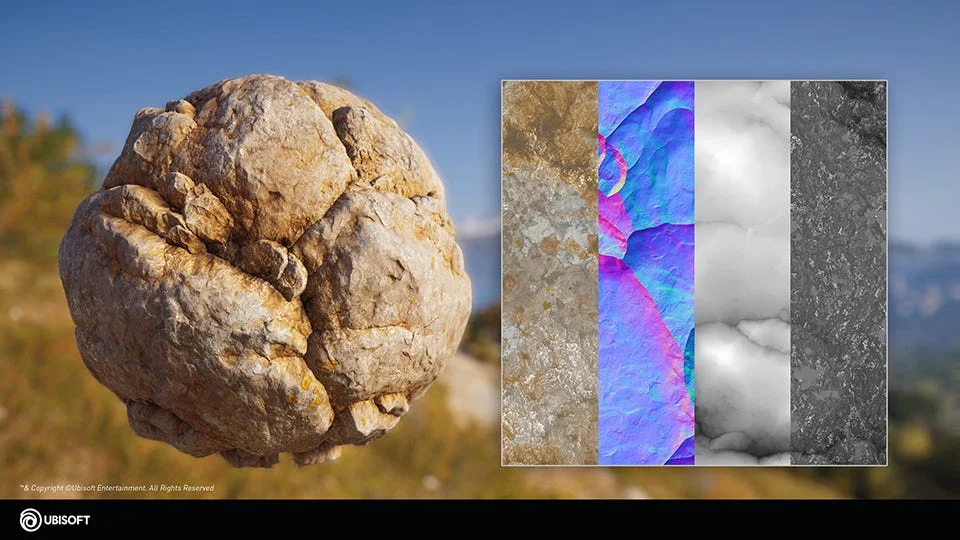
Ubisoft La Forge has open-sourced its PBR material estimation model, CHORD (Chain of Rendering Decomposition), together with ComfyUI-Chord custom node implementation to build an end-to-end material generation workflow with AI.
The model weights and code are released with a Research-Only license. Beyond research, this is a significant step toward integrating ComfyUI into AAA-scale video game production workflows.
PBR Material Production in AAA Games Today
In AAA game development, PBR materials are the foundation of visual realism. Large-scale titles require hundreds of reusable materials, each with full Base Color, Normal, Height, Roughness, and Metalness maps that meet strict svBRDF standards.
Traditionally, these assets are crafted by texture artists using photogrammetry, procedural tools, and extensive manual tuning — making the process time-consuming and highly expertise-dependent.
Ubisoft's Generative Base Material prototype directly targets this production bottleneck. The ComfyUI workflow outputs PBR texture sets that integrate directly into DCC tools and game engines for prototyping and placeholder assets.
Why Ubisoft Chose ComfyUI as The Workflow Platform
Ubisoft's choice of ComfyUI is rooted in production realities. For large studios, the requirement is not another image generator — it is a controllable and integratable AI workflow platform that can meet the bespoke requirements of game development.
"Considering the multi-stage nature of our prototype, ComfyUI provides us with an efficient framework to build integrated workflows doing texture image synthesis, material estimation and material upscaling. This also enables us to leverage state-of-the-art generative models and the powerful features of ComfyUI that provide fine-grain control to creators with ControlNets, image guidance, inpainting, and countless other options."
Ubisoft La Forge Blog
3 Stages of The Generative Base Material Pipeline
The CHORD model is integrated into a broader pipeline consisting of 3 core stages.
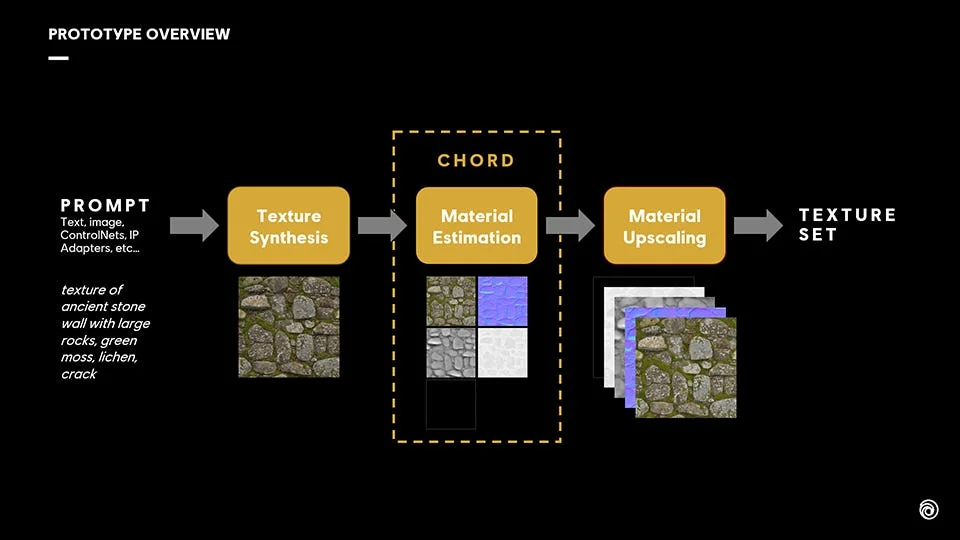
Stage 1 — Texture Image Generation
The first stage generates seamless, tileable 2D textures from text prompts or reference inputs such as lineart and height maps using a custom diffusion model with full conditional control.
Stage 2 — CHORD Image-to-Material Estimation
A single texture is converted into a full set of PBR maps — including Base Color, Normal, Height, Roughness, and Metalness — using chained decomposition, unified multi-modal prediction, and efficient single-step diffusion inference for controllable and scalable results.
Stage 3 — Material Upscaling
Since CHORD operates optimally at 1024 resolution, the third stage applies industrial-grade PBR upscaling. All channels are upscaled by 2x or 4x to produce 2K and 4K texture assets for real-time game production.
This complete pipeline enables artists to rapidly iterate on ideas and mix and match AI-generated outputs within their existing workflows, lowering the barrier to industrial-grade PBR material creation.
How to Try CHORD in ComfyUI
Ubisoft has open-sourced the CHORD model weights, ComfyUI custom nodes, and example workflows covering the texture image generation stage and the image-to-material estimation stage of the pipeline.
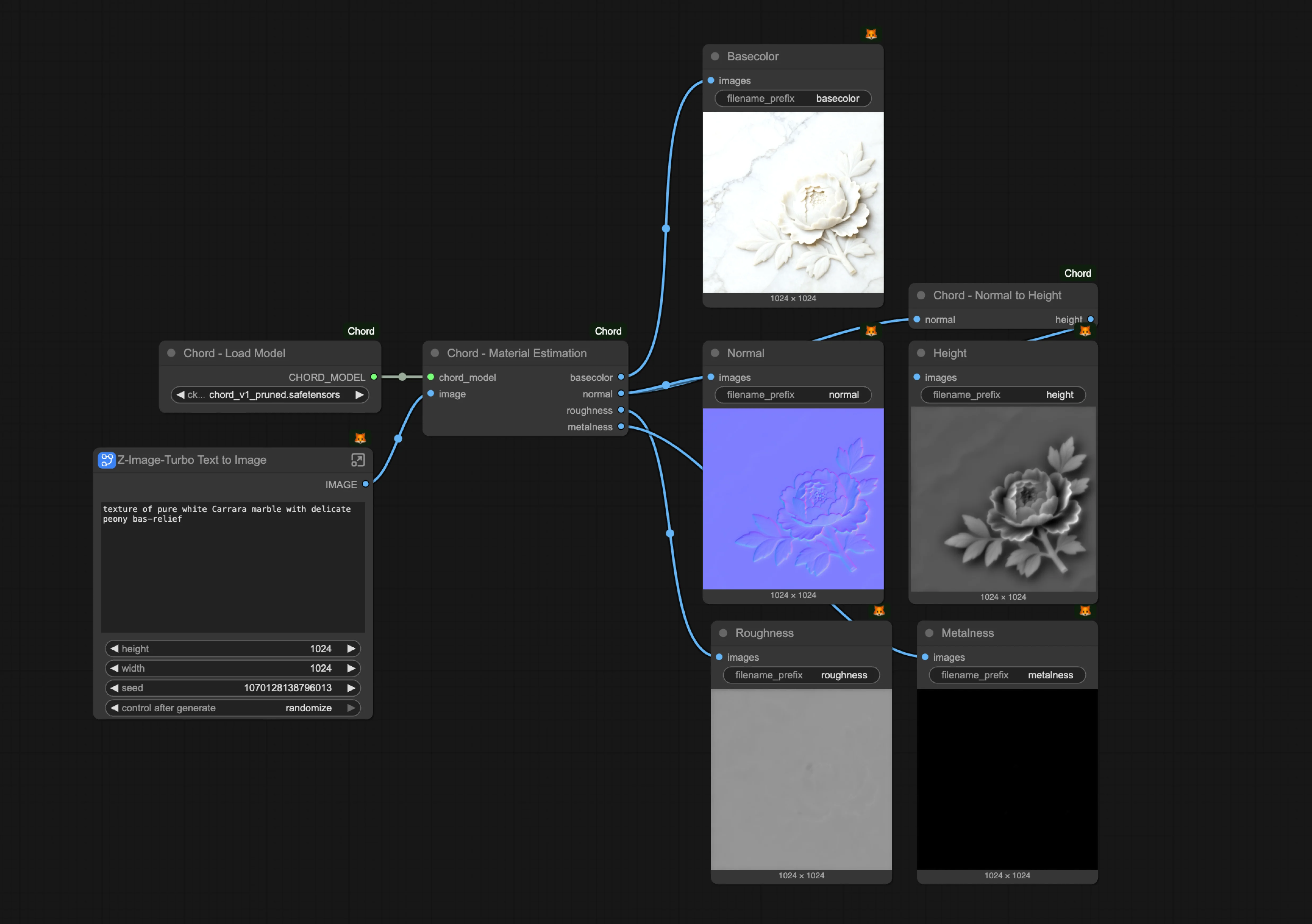
- Install or update ComfyUI to the latest version
- Install the CHORD ComfyUI custom node from Ubisoft
- Download the CHORD model and place it in ./ComfyUI/models/checkpoints
- Load the CHORD example workflow in ComfyUI
You can switch the texture image generation model to any other image model, and use the workflow modules for each stage separately.
Example Outputs
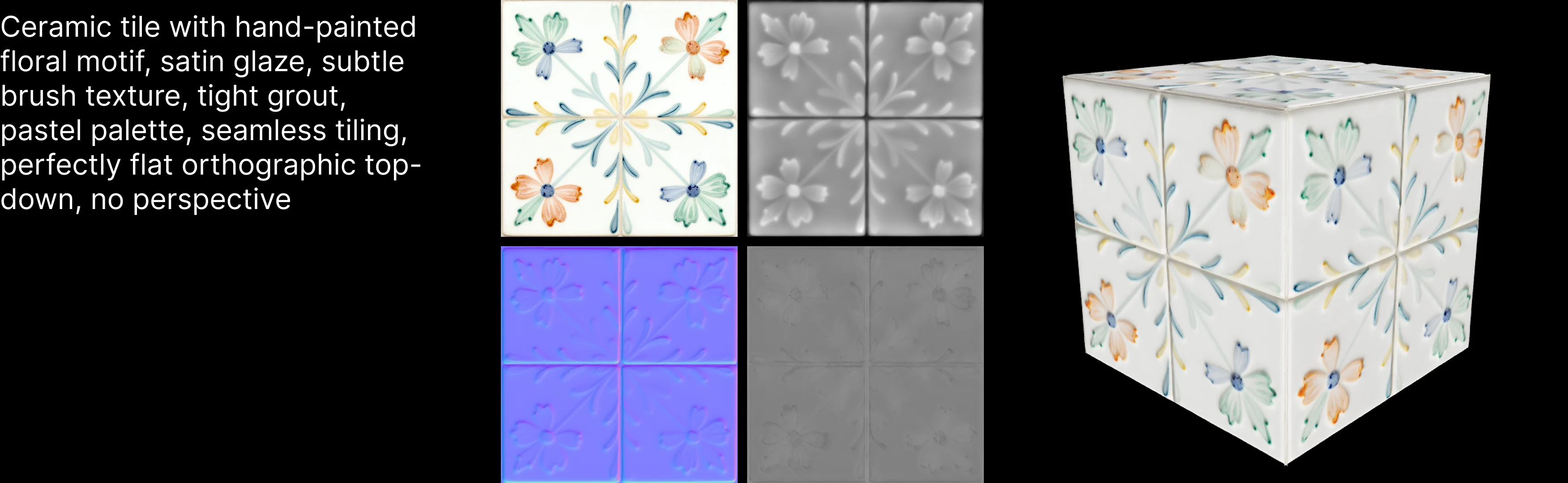
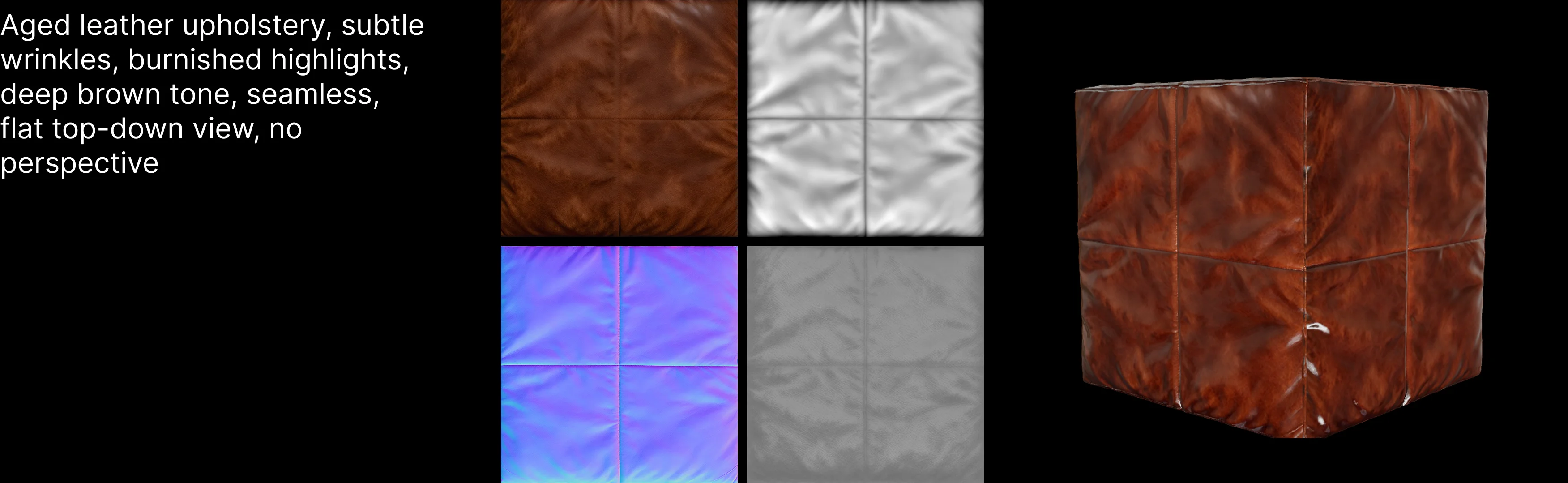

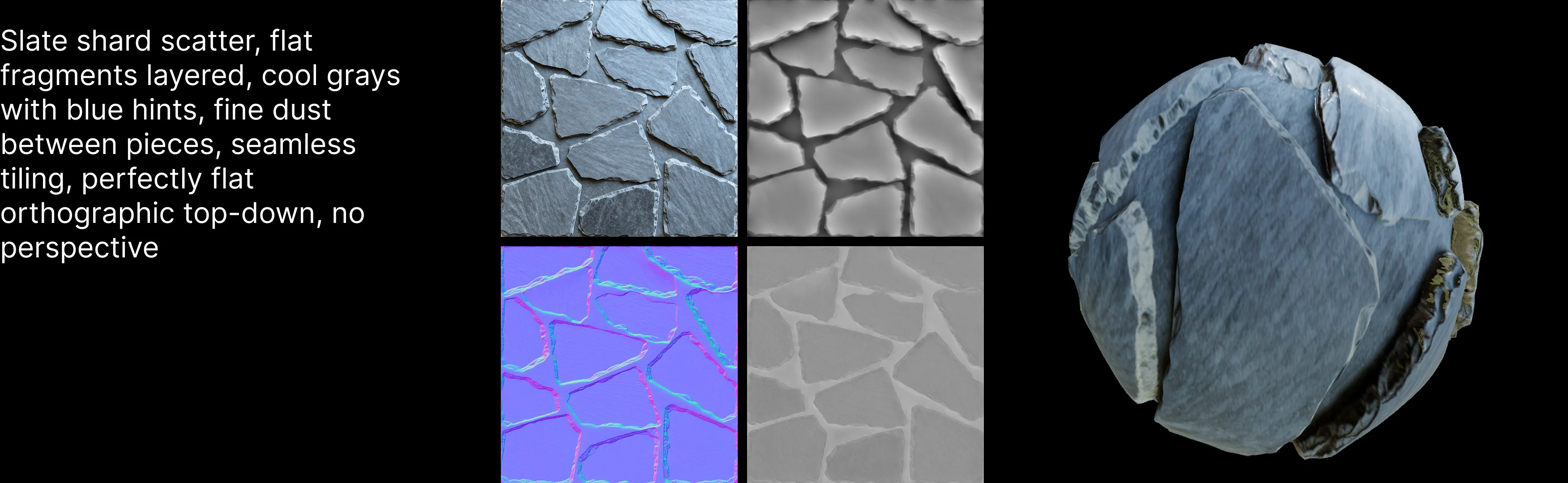
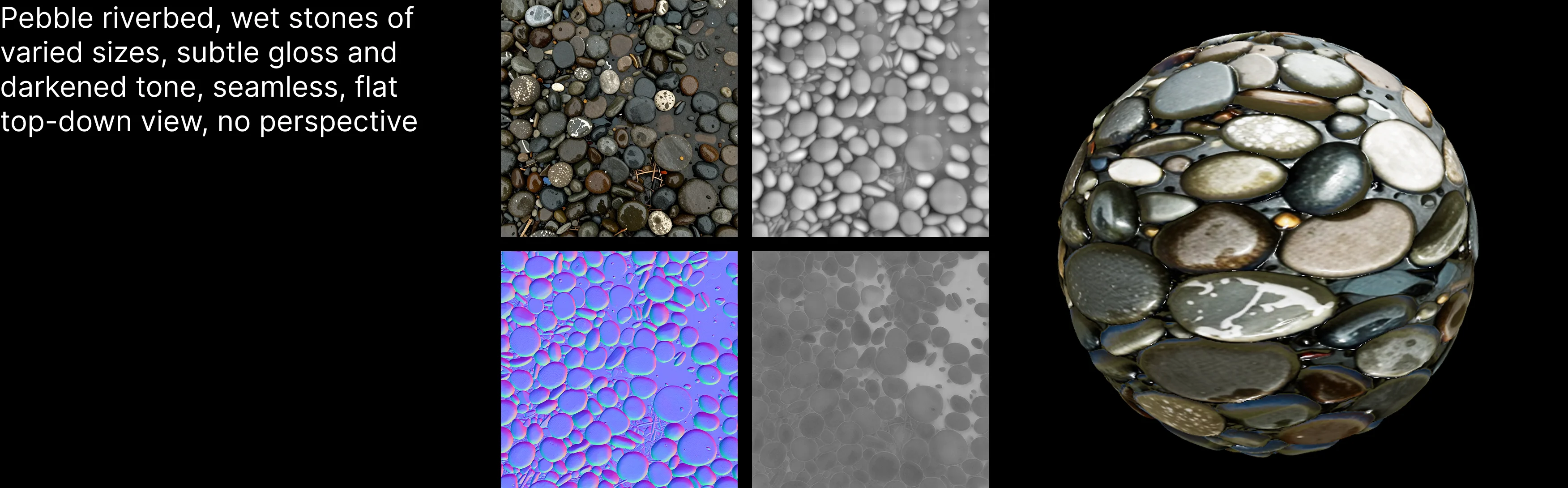
The release of CHORD demonstrates how ComfyUI has grown from a community-driven tool into a platform for real production. Studio users can build end-to-end pipelines from prompt or reference input through texture generation, material estimation, PBR upscaling, and finally export to DCC tools or game engines. Each stage can also operate independently and be embedded into an existing production system.
Jo Zhang
ComfyUI Blog
Daxiong (Lin)
ComfyUI Blog
What's next?