
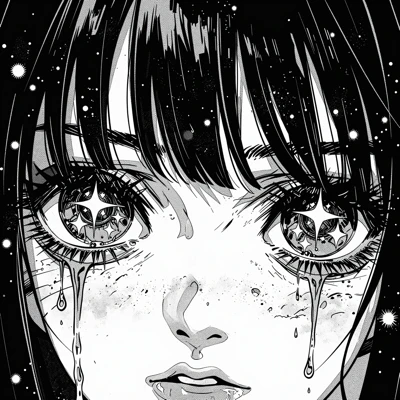
This ComfyUI workflow is designed to transform black and white line art illustrations into vibrant, colored images. It leverages advanced AI models to automatically apply color, enhancing the visual appeal of your artwork. The workflow begins with the 'LoadImage' node, which imports your black and white illustration into the system. From there, the 'GeminiImage2Node' processes the image using the Gemini3 Pro Image Preview model, which is specifically trained to understand and apply color to line art. This model uses a combination of deep learning techniques to predict the most suitable colors for different parts of the illustration, ensuring a natural and aesthetically pleasing result. Finally, the 'SaveImage' node outputs the colored illustration, ready for use in digital art projects, marketing materials, or personal collections.
What makes this workflow particularly useful is its ability to automate the coloring process, saving artists and designers significant time and effort. By utilizing the Gemini3 Pro Image Preview model, the workflow not only adds color but also enhances the texture and depth of the original line art. This is complemented by the 'Nano Banana Pro' model, which provides additional refinement to ensure color accuracy and consistency. The integration of these models through ComfyUI's intuitive interface allows users to achieve professional-quality results with minimal manual intervention.