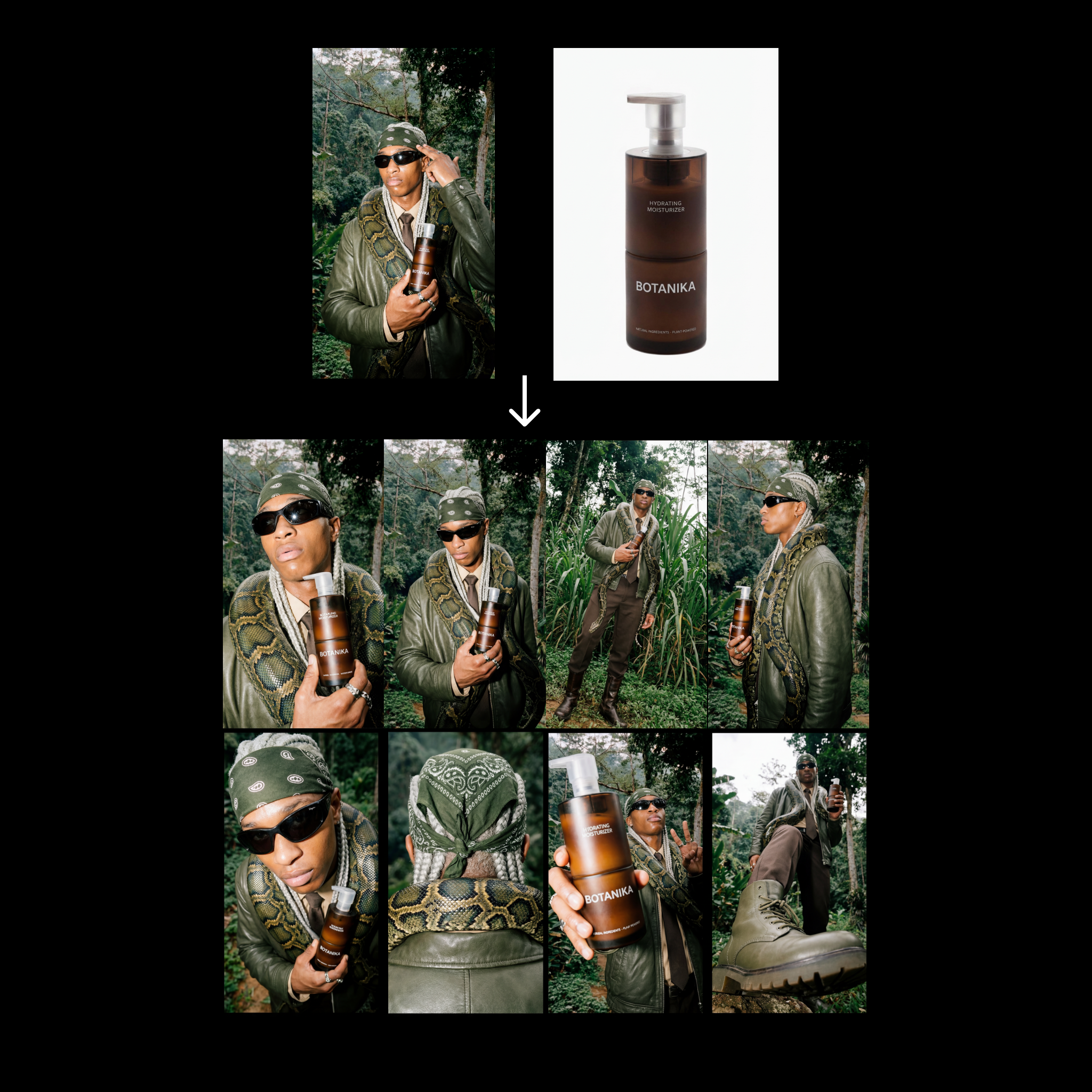
This ComfyUI workflow builds a fast, repeatable contact-sheet generator for fashion products. You provide two inputs—a fashion editorial reference and a clean product image—and the graph produces eight distinct angle variations while preserving product identity. The pipeline pivots on Nano Banana Pro for image generation and uses a small, consistent set of prompts to drive variety without drifting from the product look. Outputs are compiled into a vertical 9:16 contact sheet at 4K resolution (2160x3840) for quick review or social/merchandising handoff.
Technically, the graph uses LoadImage to bring in your editorial reference and product packshot. A PrimitiveStringMultiline node holds the eight angle directives (you can edit these to change viewpoints), while a PrimitiveNode stores simple numeric settings (such as the number of angles or seeds). GeminiImage2Node (configured for gemini-3-pro-image-preview) can be used as a helper to analyze the editorial reference or produce caption text that feeds into your prompt block. Two essentials nodes (UUIDs 68c58c16-e698-45a4-97f9-54ae8eb9dee9 and 487baed2-dc27-49c3-a6b2-0bf45a53e64d from comfyui_essentials) handle image collation and layout with BatchImagesNode assembling the eight results, RegexReplace cleaning file names, and SaveImage writing a single 8-up contact sheet plus optional individual frames. The result is a compact, reliable step that expands only two Nano Banana generations into eight consistent angles.