
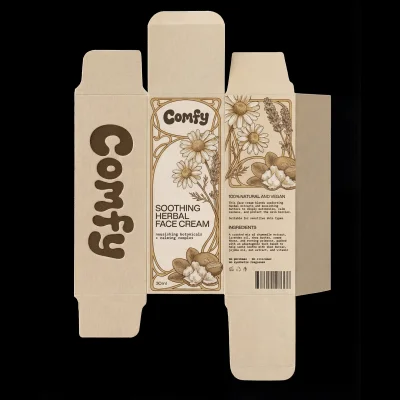
This ComfyUI workflow is designed to transform a 2D dieline of a product package into a realistic 3D representation, making it an invaluable tool for designers and marketers. The workflow begins with the 'LoadImage' node, which allows you to upload your dieline image. This image serves as the blueprint for the package's structure. Next, the 'GeminiImage2Node' processes the dieline using advanced algorithms from the Google Gemini Image model, which is known for its high accuracy in image transformation tasks. This node effectively assembles the dieline into a 3D package, simulating realistic lighting and texture effects to enhance the visual appeal.
The final step involves the 'SaveImage' node, which outputs the 3D package image, ready for presentation or further editing. This workflow is particularly useful for product designers who need to visualize packaging designs in a realistic manner without the need for physical prototypes. By leveraging the capabilities of the Google Gemini Image model, the workflow ensures high-quality results that can be used for client presentations, marketing materials, or internal reviews.